Wonder Toys
About UsStoreApp DownloadTrack My OrderContact Us
WishlistAccount
🚙RC Crawlers🏎️RC Stunt Cars🚚RC Trucks🚗RC Cars✈️RC Plane🔫Toy Guns🧩Magic Cube⚽Balls🧸Other
HomeAbout UsStoreApp DownloadTrack My OrderContact Us

Categories

🚙RC Crawlers🏎️RC Stunt Cars🚚RC Trucks🚗RC Cars✈️RC Plane🔫Toy Guns🧩Magic Cube⚽Balls🧸Other

Follow Us

WhatsApp Chat+919319773533support@wondertoys.co.in

Kids Toys Manufacturer in Delhi · Since 1994
Wonder ToysDelivering Smiles

Wonder Toys is a trusted kids toys manufacturer in Delhi since 1994 — safe, fun & educational toys delivered to every Indian home.

Our Products

  • RC Crawlers
  • RC Stunt Cars
  • RC Trucks
  • RC Cars
  • RC Plane
  • View All Products →

Company

  • About Us
  • Contact Us
  • Track My Order
  • App Download
  • My Account
  • Sitemap

Policy Pages

  • Shipping Policy
  • Refund & Return Policy
  • Terms & Conditions
  • Privacy Policy
  • Cancellation Policy

Get In Touch

  • Office No. 3B, Main Road, Sector D, Pocket-IV, Vasant Kunj, New Delhi, 110070
  • +919319773533
  • support@wondertoys.co.in

© 2026 Dang Trading Company Pvt. Ltd. All rights reserved.

Your Cart (0 items)

Your cart is empty

Add some products to get started.

Free phone controller

Drive your Wonder Toys car from your phone

Some of our remote control cars can also be driven from a phone — with a joystick or by tilting the handset, plus lights, sound and smoke controls. Download the free app below, then follow the setup guide.

Download for AndroidVersion 1.0.3 · 32 MB · APK fileDownload on the App StoreFor iPhone & iPad

The app is free. It works only with Wonder Toys cars that support phone control — look for the app badge on the product page.

Before you start

  • Charge the car fully with the supplied Type-C cable.
  • Switch the car on and keep it within a few metres of your phone.
  • Turn Bluetooth on — the app pairs with the car over Bluetooth, not Wi-Fi.

Setup on Android

  1. 1

    Download the app

    Tap the Android button above. Your browser saves the LCW_RCcar installer (.apk) to your phone.

  2. 2

    Allow the download

    Android shows a “File might be harmful” caution for every app installed outside the Play Store. That warning is standard, not a problem with the file — tap Download anyway to continue.

  3. 3

    Install it

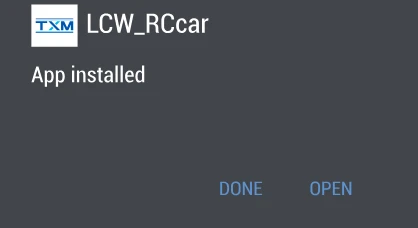
    Open the downloaded file. Android asks whether you want to install the application — tap INSTALL, wait a few seconds, then tap OPEN.
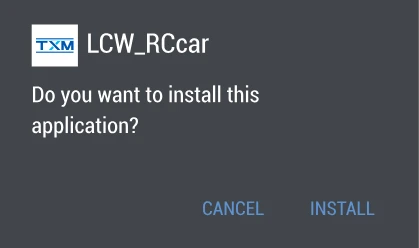
    Android asking whether to install the app
    Android confirming the app is installed
  4. 4

    Accept the terms

    On first launch the app shows its service agreement and privacy policy. Tap the blue option (同意并接受) to agree and continue.
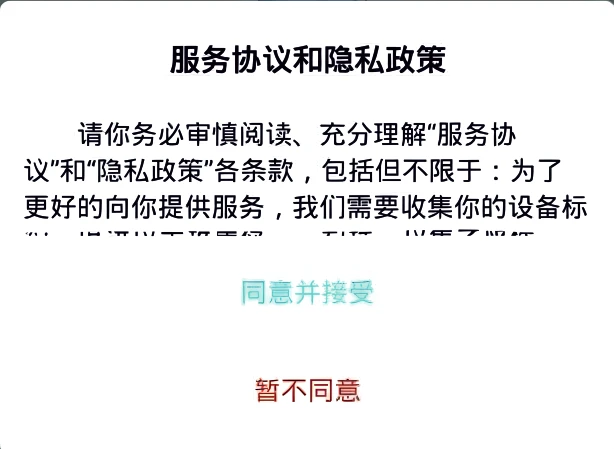
    Service agreement screen inside the app
  5. 5

    Pick your car and connect

    On the home screen, tap the left-most car icon to enter phone-control mode. Then tap the Bluetooth button and pair with your car (device name HY_2504). Once it connects, you are ready to drive.
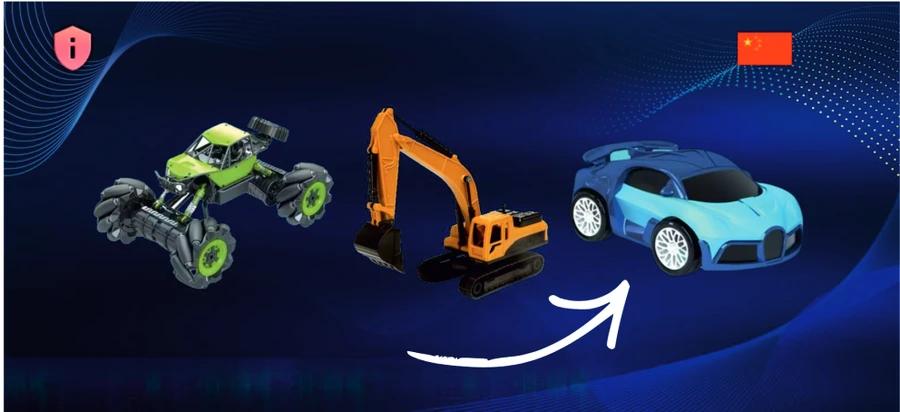
    Choosing the car model on the app home screen

Setup on iPhone & iPad

  1. 1

    Get it from the App Store

    Tap the iPhone button above, or open the App Store and search for “LCW_RCcar”. Then tap the download icon to install it.

  2. 2

    Accept the terms

    Open the app. It shows a service agreement on first launch — tap the blue option to agree and go into the app.
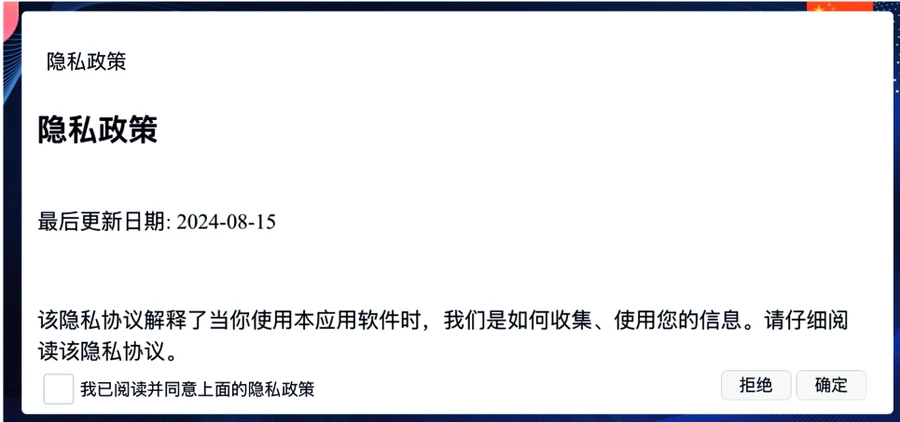
    Service agreement screen on first launch
  3. 3

    Allow Bluetooth

    iOS asks whether the app may find Bluetooth devices — tap Allow. Then tap the Bluetooth button in the app to pair with your car (device name HY_2504).
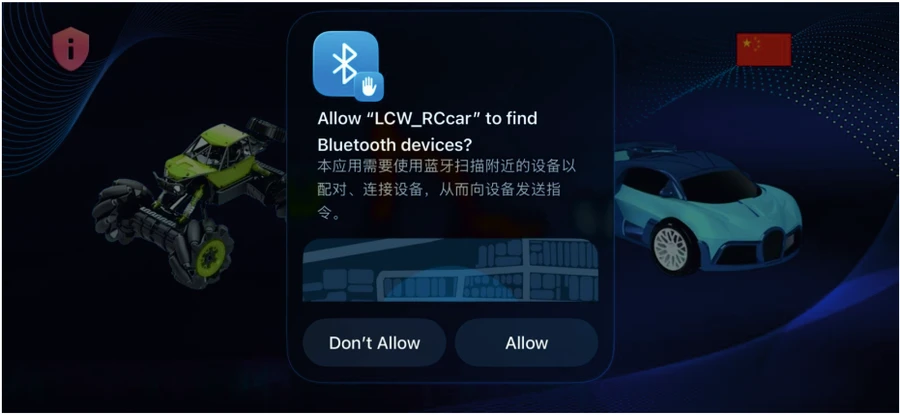
    iOS asking permission to find Bluetooth devices
  4. 4

    Pick your car and drive

    On the home screen, tap the left-most car icon to enter phone-control mode. Your car is now driven from your phone.

    Choosing the car model on the app home screen

If something goes wrong

The app does not open

Restart your phone and open the app again. That clears the problem in almost every case.

The car will not pair

Check that the car is switched on and charged, that Bluetooth is enabled on your phone, and that no other phone is already connected to it. The car appears as HY_2504.

Android says the file might be harmful

That is the standard caution shown for any app installed outside the Play Store. Tap Download anyway, then install as normal.

Still stuck?

Call us on +919319773533 or email support@wondertoys.co.in and we will help you set it up.

Download the printed setup guide (PDF)